 Chrome



 Gmail9:12
 Maya ChenQuick check before Friday’s launch
Are we still on for Friday, and what is left before the review?
 Try for free on Mac
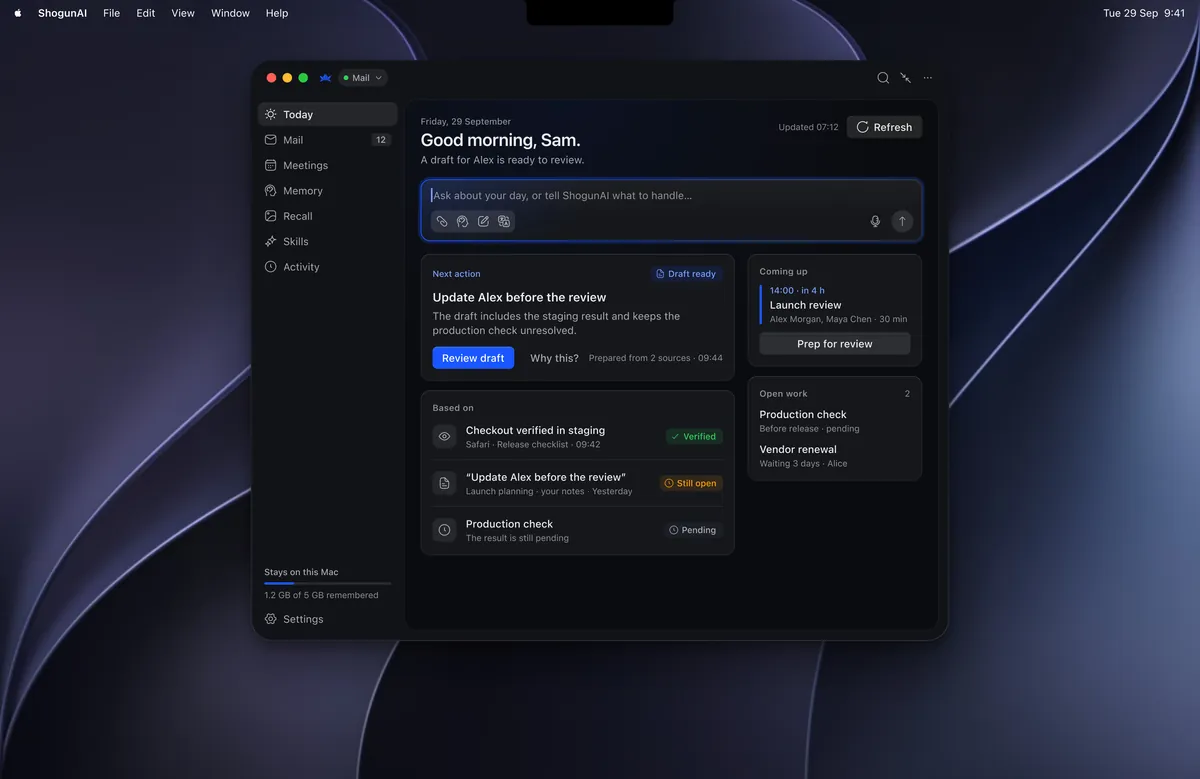
An assistant that keeps up with your work so you don’t have to explain it twice.


The email, the meeting, the decision you almost forgot.
Shogun works alongside the apps you already use.
 Gmail
Gmail Notion
 Cursor
 GitHub
 Perplexity
 LinkedIn
 Figma
Figma Dropbox
 Telegram
 Google Sheets
 Calendar
 Slack
Slack Claude
 ChatGPT
 Grok
Grok Linear
 Discord
 WhatsApp
 Google Meet
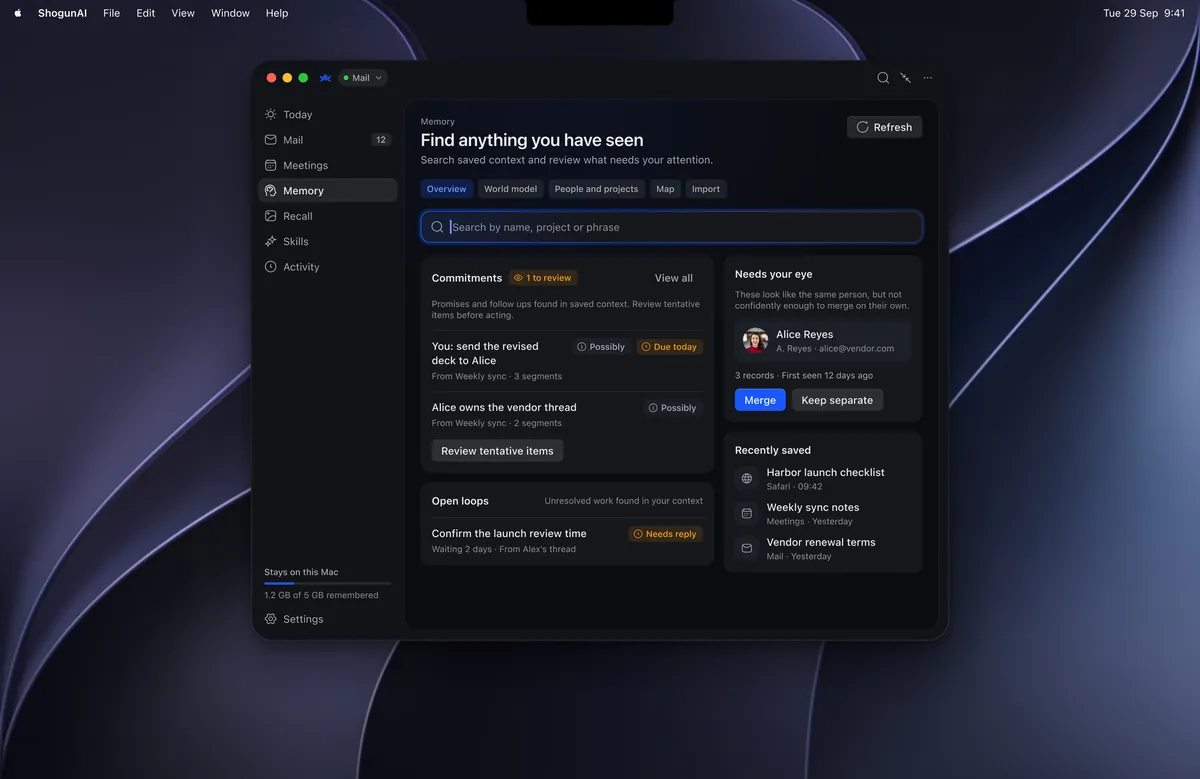
Your mail, meetings, docs and chats already hold the answers. Shogun keeps them in one private memory on your PC, so every question starts with everything you know.




 Shogun
Is Friday’s launch still on?
Yes. The onboarding fixes are in final QA, and the launch review with Maya is tomorrow at 10:30.
Maya Review
 #launch
 ChecklistGmail9:12
Maya ChenQuick check before Friday’s launch
ChecklistGmail9:12
Maya ChenQuick check before Friday’s launch
Are we still on for Friday, and what is left before the review?
CalendarTomorrowLaunch review


 #launch8:47
 Ken ItoOnboarding fixes are merged. Running final QA now.
Launch checklistEdited 1h
Ken ItoOnboarding fixes are merged. Running final QA now.
Launch checklistEdited 1h8 of 9 done
 Weekly syncRecap
Decision: ship Friday if QA passes.
3 action items · 1 for you
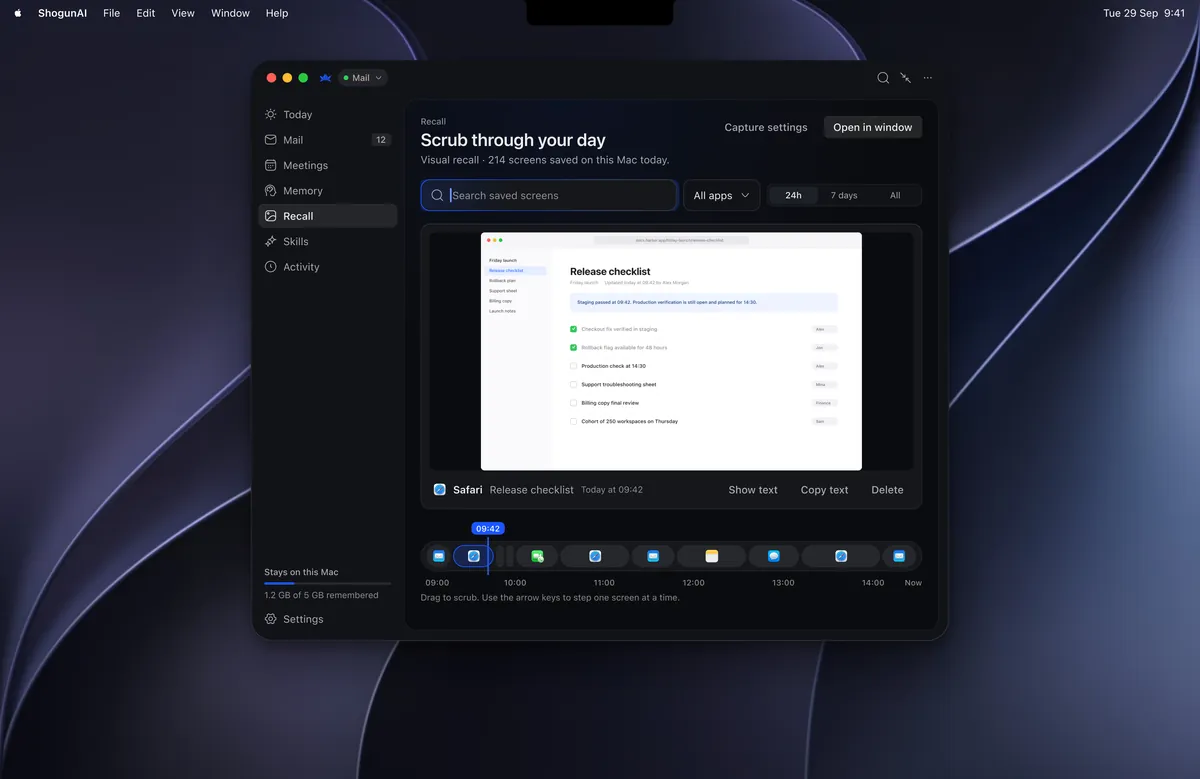
 On screenSeen 9:42
Hold the right ⌥ key in any app. Shogun continues your sentence in your voice, using the thread, the doc and the people in it. Let go to keep it, or keep typing to skip it.









 Sample demo
Shogun takes notes in your meetings and keeps a private visual history of your screen. Ask in plain words, or drag back to the moment.


If QA passes tonight, we ship on Friday.

Fixes are merged. QA is running now.

I’ll confirm right after the review.
 Recap
Recap
Decision: ship Friday if QA passes tonight.
One assistant, for the moments that move your work.
Temporary reference preview · Illustrative footage may differ from this scenario.
The agenda, the last conversation, the decision behind it. Already together.
One personal assistant. More than one way to get work done.
Get the thread, agenda, and previous decisions together before you walk in.
Keep a useful record, then correct the notes in your own words.
Recall the decision behind the work and check the original context.
Rewrite a rough message, make it concise, or bring it closer to your voice.
Prepare a response with the relevant work context already included.
Edit, review, approve—or discard. The final say is yours.
Translation, meeting notes, and reply drafts. Together.
Translation, reply drafts, meeting prep, and follow-ups.
 ShogunAIStandard
Selected subscription prices; features differ. AI services you connect may charge separately.
Examples of overlapping workflows. The total above includes only the ten named subscriptions; alternatives below are not added.
Official list prices checked October 20, 2026. The ten tools are billed monthly; ShogunAI Standard is $49/month equivalent, billed $588 annually. Some selected tools overlap; this is not a required stack. Annual plans or bundles for other tools may cost less. Product names link to the pricing sources; DeepL prices use the United States region.
This is a selected subscription-cost comparison, not a feature-for-feature replacement. ShogunAI does not include subscriptions to these products. Model or transcription-provider charges may be additional; your total cost depends on your setup and use.
Choose a paid plan, or try the Mac app free for 7 days.
Your private memory, always within reach.
Your memory, connected to what comes next.
Shogun is built so you stay in control. Your memory is stored on your PC. Only the slice a request needs ever leaves it, and you approve anything that reaches another person.

Screenshots stay encrypted on your PC and delete themselves after 1 to 7 days, or a time you choose.

Never your raw memory. Every request is written to a log you can read at any time.


Interactive sample · controls change this preview only. No accounts connected.
 GmailRead only
 CalendarRead only
 SlackRead only
 NotionRead only
 Screen historyEncrypted · kept for 3 days
Excluded apps, never captured

Only the transcript is kept.

You pay for Shogun. Your work is never the product.
A little more about ShogunAI, your privacy, and getting started.

From meeting prep to the final follow-up. One assistant, every day.
Standard · $588 USD billed annually. Daily equivalent, before tax.